Program the agent.
A coding agent you program, not just prompt. Its tools, hooks, and prompts are files you own. Any model with your keys, native on your Mac.
14-day free trial, no card. Then $15 a month or $150 a year.
- 14 providers
- 67 tools
- 66 commands
- 207 settings
- 71 shortcuts
What it does differently.
A native app, not a web view
Rust and a GPU renderer draw every frame. Many sessions stay smooth, and no browser sits between you and the agent.
A grid of agents, not one chat
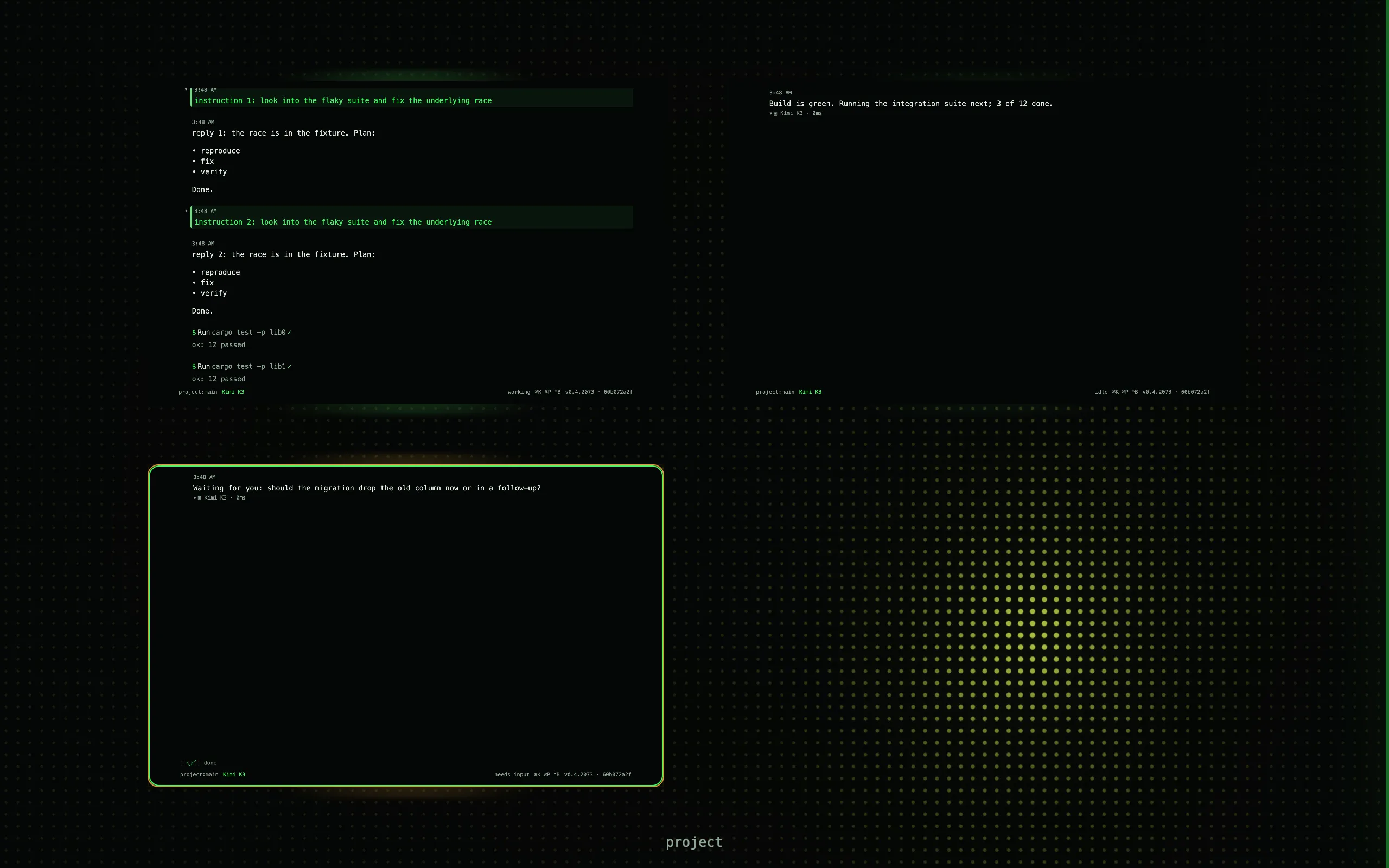
Mission Control shows every session as a live tile. You see who is working, who is waiting for you, and who is done, without opening any of them.
Yours to change, not a black box
Every tool, command, hook, theme, and prompt is a file you can open and rewrite: Lua, TOML, or Markdown, in your home folder or your project. The settings page edits the same files.
Every session is a live tile.
Run many agents at once and see all of them. Every tile is a live miniature of its session, so you see what each one is doing without opening it.
- ⌘1 to ⌘9 jump to a session. ⌘M comes back to the grid.
- Hover to peek at a tile without leaving the grid. Drag tiles to reorder or group them.
- The transcript draws markdown, code, diffs, math, images, charts, Mermaid, and file trees.
If it has a name, you can change it.
Tools, commands, hooks, themes, keys, prompts, permission gates: all of it is data or Lua you own.
kcode.register_tool("todo_count",
  "Count TODOs", function(args)
  local n = 0
  for _, f in ipairs(kcode.fs_list()) do
    local text = kcode.fs_read(f.path)
    for _ in text:gmatch("TODO") do
      n = n + 1
    end
  end
  return { count = n }
end)[[hooks]]
name = "retest"
on = "fs:file-changed"
filter = "src/**/*.rs"
prompt = "Run the tests for this file."
concurrency = "replace"(
extends: "wingman-dark",
colors: (
background: (
dark: "#050506",
light: "#fdfeff",
),
),
type_scale: (mono: (size: 13.0)),
)67 tools · 66 commands · 207 settings · 71 shortcuts · 8 plugin surfaces. All of it in the reference.
Your providers, your keys.
kcode bundles no model access and takes no cut. Bring your keys, or sign in with a ChatGPT Pro or Plus account for OpenAI. Pick a model per session, or per subagent.
- Anthropic
- OpenAI
- Fireworks
- DeepSeek
- Kimi
- MiniMax
- Google Gemini
- Groq
- OpenRouter
- Hugging Face
- Baseten
- Llama
- OpenCode Zen
- Kimi For Coding
Any of these through the models.dev catalog; a proxy or a self-hosted endpoint through providers.<name>.base_url.
Prompts and files go straight to the provider you chose. kcode.sh never sees them. The privacy page lists what leaves the Mac.
Built for long runs, not one-liners.
- /goal
A verifiable objective per session. It survives restarts and shows on the tile.
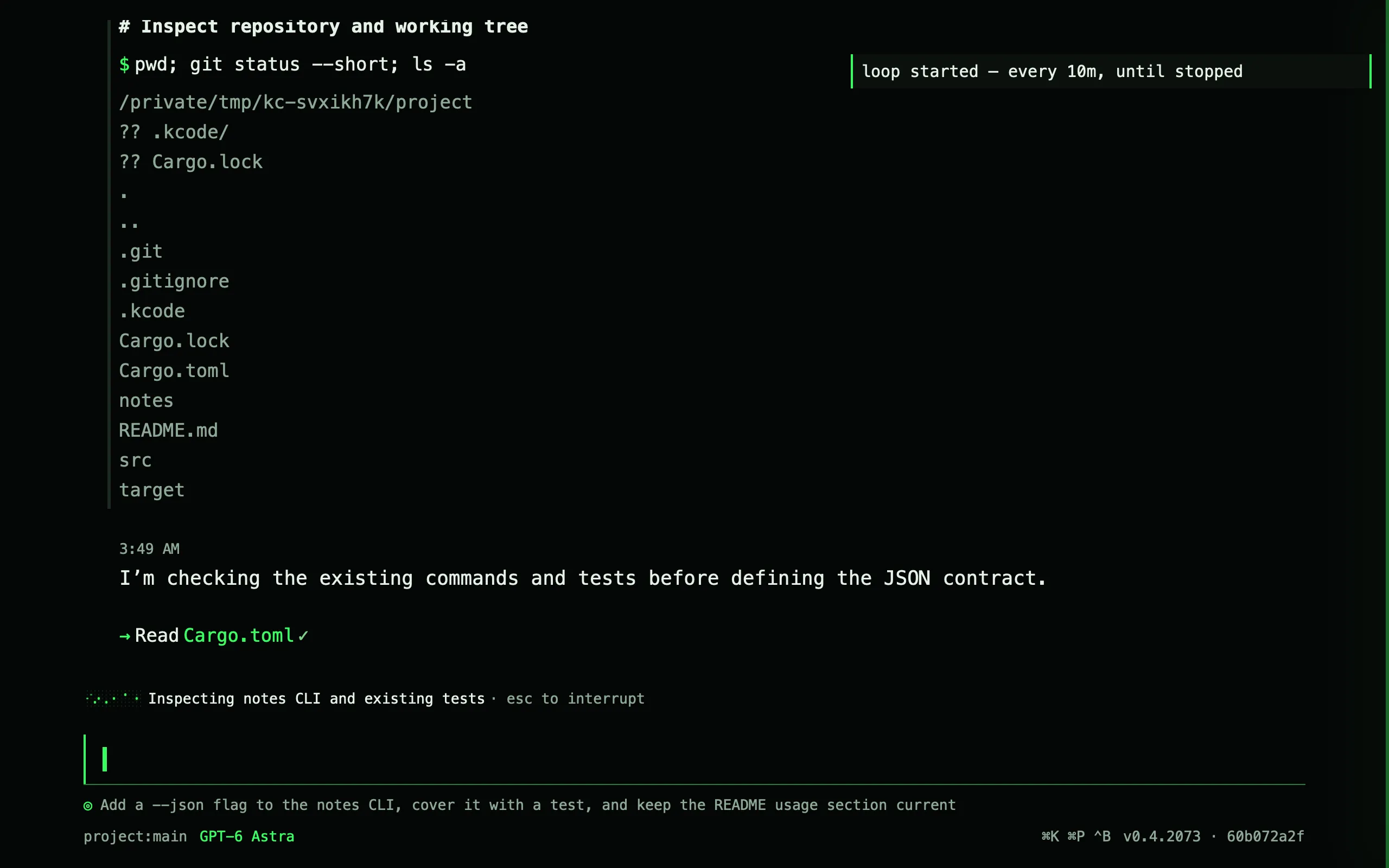
- /loop
Recurring turns: every ten minutes, five times, or whenever the session goes idle.
- /agent
Subagents, each with its own kind, tools, and permission mode, on any model you set up.
- /worktree
A session bound to a fresh checkout on its own branch. Merge from the same command.
- /permissions plan
Read-only mode: reads, grep, and web only. Switch live.
- kcode -p
Headless. One prompt, one process, JSON or ndjson out.
One plan. Two Macs.
$15 a month or $150 a year. Every feature. A 14-day trial without a card.
What kcode is not.
- Not a cloud service. It runs on your Mac and talks to your providers with your keys.
- Not an IDE. Use it beside the editor you have.
- Not a shell around another agent. kcode is the agent: its own loop, tools, and permission gates.
- Not on Windows, Linux, or Intel Macs. Apple silicon, macOS 14.0 or later.
- Not open source. Every part you extend is a plain file you own: Lua, TOML, or Markdown.
kcode is built by one person, not a company of hundreds. I write the code, I answer the support mail, and I read every bug report. If something is wrong, tell me.
Kashif Razzaqui, maker of kcode
Try kcode free for 14 days.
kcode 0.4.0 for Apple silicon, macOS 14.0 or later. No card needed for the trial.
Start your 14-day trial